fleeting youth


Happy Friday folks. Seemed like a fast week, didn’t it? I spent my fettered time at work, working; and my unfettered time at home, having a lot of fun playing with my new iPod. Been enjoying loading loading it up with stuff I couldn’t (or wouldn’t) afford the disk-space for on my old model. So far, I’ve been working on adding a hand-picked selection of top-shelf bootlegs. Things like Dyan’s Guitars Kissing the the Contemporary Fix, Harrison’s Beware of ABKCO, and Hendrix’s Raw Winter. I’m already sitting at about ~10GB above my old ‘Pod’s capacity…

Know how I know I’m old? Check this out.

The other day, on the way to work in the morning, I stopped off at Chevron station nearby my house to gas up. I tend to stop at this particular Chevron often, as it’s close to the house and lies on my home-to-work route. While standing outside in the grey morning cold pumping petrol into the Ford, I noticed a station worker scurrying around the pump area in a hunter-orange vest with reflective green accents thrown on over his sweatshirt. He was busy picking up trash, emptying bins, and just doing a general “checkup” of the pump station area. I took notice, in part, because I realized that it wasn’t the first time I’d seen an attendant doing such a thing at that station. In fact, as I began to think on it a little more, and take a closer look around the station grounds, I began to notice that this particular Chevron station was actually quite nice: the pumps are never broken, it’s always clean and functional, the ads and posters and flats pitching carwashes and Techron and Chevron credit cards are new, clean, and relevant, etc. I started thinking about how, as gas stations go, this one was actually pretty nice.

Now, this is the part where I realize I’m old.

When I got to work around 8am, my pleasant Chevron experience was still fresh in my brain. Without really thinking, I found myself directing Firefox to the Chevron page, and looking up the e-mail address for customer feedback. And, again, before I could really stop myself, I had written a three-sentence piece of unsolicited, positive, encouraging, feedback to Chevron. Apparently, as old-age silently took over my brain and directed me in these abhorrent actions, I had also taken the time to look up the four-digit “store number” of the location I’d earlier fueled at, and called it out by name in my missive. After I “woke up” from my geriatric haze, I’d realized what I’d done and immediately logged onto MySpace, sent some text messages, and played “the choking game.” It was close, but I was just able to reclaim the coolness of my youth.

What the heck is happening to me? Writing letters to companies? That’s something my dad would do. Next I’ll be calling senators and decrying the rampant depravity of today’s youth. I am so old.

Oh, and before I go, I’d like to clear out another half-written blog by sloppily pasting in this e-mail exchange I had the other day with Ben. I thought it was funny, maybe you will too.

_____________________________________________
From: Dave
Sent: Wednesday, November 28, 2007 8:29 AM
To: Ben
Subject: I can’t believe it

So, yesterday I re-copied all the tracks off my old iPod onto my PC (mostly, to have a permanent backup). Then, I restored my new Classic to factory state, and dragged all the backed-up music onto it via iTunes. Four hours later, all the music was on my iPod. Happy, I unplugged the iPod and went to browse through Coverflow, only to be greeted with the “Choose Language” menu. OK, English.

What?! No music?!

Sure enough. There was nothing on the dang thing. I had to restore it again and re-re-copy it all over. Why do I love this flaky POS? Just because it looks sexy? Am I hypnotized into brand loyalty by those shadowy commercials?

_____________________________________________
From: Ben
Sent: Wednesday, November 28, 2007 8:39 AM
To: Dave
Subject: RE: I can’t believe it

Exactly my thoughts Dave. I had the same feeling of discontent when I purchased this, but at the same time I too am mesmerized by the slick interface. Honestly though? I have a lot invested in my iPod infrastructure. Considering both of our vehicles (Suzy’s and mine) are wired specifically for it. I’ve got cables that I’ve purchased specifically for it. We even have one of those speaker things that has a dock right on it – would be useless on another player. My iPod momentum is like an unstoppable freight train – and switching now would just be too painful. Besides, there aren’t any other players on the market with 160GB’s of space. So for now, I guess I will continue to be a loyal customer. But if this thing ever breaks, you better believe I’m going to weigh my options and start looking seriously at that Zune, or whatever else is hot at the time….

_____________________________________________
From: Dave
Sent: Wednesday, November 28, 2007 8:43 AM
To: Ben
Subject: RE: I can’t believe it

Yeah, I’m with ya. It’s in my car too, and my home stereo, and I still flat-out love the thing. Even with its DRM and “you can’t have your own music back off me” attitude, I still can’t quite hate it.

But seriously, iTunes was adding songs for four hours. I have to conclude that it was just effing with me. Four hours later and not a single file on the device. What a waste of my time. Mostly, I blame iTunes… the ‘Pod wouldn’t “eat” those songs… iTunes either never put them on, or simultaneously added and then corrupted them as it went. Stupid iTunes.

_____________________________________________
From: Ben
Sent: Wednesday, November 28, 2007 8:39 AM
To: Dave
Subject: RE: I can’t believe it

Dude… four hours is nothing. It took a full 8+ hours to transfer my tunes across my wireless network from my linux box to my laptop (which has iTunes installed) and subsequently to my iPod. I’m glad that worked the first time. And I was actually surprised that iTunes allowed me to use a networked drive.

That dang iPod. Hard to hate it.

Goodnight.

besides, rainbows are cheery


Sometimes I feel like the last guy on earth who doesn’t have a plasma/LCD flatscreen HDTV. Heck, even my parents recently upgraded to a 40-some-odd inch LCD HDTV, and they have an HD-PVR.

Not us. We still have the ~$200 25” “tube” we bought at Sam’s Club some seven years ago.

It still works fine. Even if Sharaun did push the power button right through the plastic housing to somewhere in the guts of the beast, where it’s been lost now for more than three years. So what if you have to use the remote to turn it off and on? And… the picture is still plenty nice, at least as non-HD goes… I mean, who cares if you have to sometimes fiddle with the analog RCA jacks in the back to get those wiggly lines off the screen? That’s just a minor inconvenience, right?

What’s more, I can even see the thing pretty darn well from all the way across the room. Sure, maybe not well enough to read the phone numbers on commercials… but who wants to read phone numbers on commercials anyway? And, I’ve totally gotten used to the little blooms of rainbow colors that my unshielded totally-not-surround-sound speakers induce onto the screen as their magnets pull a few of the bulky CRT’s weaker electrons astray. Besides, rainbows are cheery. They make people smile.

Who am I that I’m too good to use a remote, walk closer to read the fine print on that refinancing offer, demand unadulterated color reproduction, or get on my knees every once in a while and tug some wires? Seriously. When did I become royalty?

I mean, why would I even upgrade? HD is cool and all, the way you can see so much more of a football game, or how the rainforest comes alive on the Discovery Channel. But, I’ve seen HD… I know that only about a third of all programming even fits correctly on the dang screen. If you’re gonna charge me $2000 for a rectangular flatscreen TV, at least refund me the $400 for the 20% of the picture on either edge of the screen that’s blank all the time. Oh sure, “It looks fine if you stretch it.” But then all the people look short and fat, or I lose another 20% of the actual picture to cropping. I mean, sheesh! What’s the attraction?

C’mon, it’s a premature technology anyway. The Digital Television Transition and Public Safety Act of 2005 doesn’t even mandate 100% digital broadcasting until 2009. What, I’m supposed to look at peanut butter and jelly programming on filet mignon TV for two more years?

Am I seriously supposed to believe that a new 56” LCD would make my Land of the Lost DVDs look that much better? Can HDTV truly improve the clarity of Andy Griffith? I think not! Is HDTV gonna do my laundry or wash my car? No and no, I’d wager.

I might start a club: The Guys Who Don’t Care About Your Flatscreeen TV club. All that’s required to join TGWDCAYFTV is that you’re still watchin’ Three’s Company and 227 on a regular old projection fatty and aren’t ashamed to shout it from the mountaintops. It’s even OK if you go over to your HDTV-havin’ buddy’s place to watch college ball or NASCAR, we’ll let that slide. Not to mention that your membership won’t be revoked if you tend to linger around “those” aisles at Best Buy or Circuit City.. That’s really not that different from turning your head to follow bikinis on South Beach while your wife sunbathes next to you, anyway.

What’s the big deal about flatscreen HDTV anyway?!

Man. I want one so bad.

today was a bad day


Today was a bad day.

Work made me mad in the morning, Sharaun made me mad at lunch, and work continued to make me mad after lunch. The sun broke through on two occasions: First, the hour I had with Keaton while Sharaun was at the gym. She sat on my lap for nearly the whole time and we played. She was super huggy and talkative. Second, being able to do some brief listening to the Sgt. Pepper’s Lonely Hearts Club Band multitracks on my new iPod. I wrote about them before, over here, but getting some time to actually hear them closely makes them seem so much more awesome. They are indeed amazing. I’d recommend you check them out, if you can manage to locate them, that is…

Anyway, it was a long, stressful, and frustrating day. But, I eventually made up with work… choosing to be the bigger man and continue to accept my paycheck in return for the occasional abuse. Incidentally, I also made up with Sharaun… apologizing for yelling at her and stomping around the house in a fit. So, all’s well that ends well, I suppose.

But… this does not end well. Not by a long shot. Later on, at night, I decided to try out a program I’ve heard other audiophiles praise. It’s called MediaMonkey and it’s one-stop music management application, and can even sync with iPods and other portable devices. On a whim, I decided to install it. Unknowingly, I had my brand new iPod Classic plugged in when I installed and launched it. Turns out, the damn piece of software “automatically” sought out my iPod, read the contents, and somehow completely corrupted the iTunesDB file. So, when I fired up iTunes again, I got the familiar heartbreaking message: “iTunes cannot read the contents of iPod…” Sigh, all my music lost. What a waste… I’m so upset. Why can’t I just learn to leave well enough alone?

Right now I’m frantically trying all sorts of recovery methods… and, even as I write this, I’m using a promising piece of software that touts one-click iPod-to-iPod cloning, with support for all generation iPods, including Classic/Touch. The cool thing is, it supposedly also will transfer all the iTunes/library data like “played count,” “rating,” etc. – which is exactly what I was looking for in the first place. If this works, I’ll make a quick writeup and post tomorrow. Wish me luck, OK?

Really sorry about all the iPod talk, but, as if you couldn’t tell, I’m a bit obsessed with this new toy. Hope you’ll understand as I continue to fawn over it. Thanks for sticking it out. Goodnight.

remembering maui


After a successful, short- but-sweet overnight backpacking trip Saturday night with friends, I decided to take the evening off from bloggings. Besides, I’m busy filling up my new iPod Classic with all sorts of new and improved music. So… I present to you… an easy Monday post:

Click over here for some “new” pictures of Keaton and the family from our October trip to Maui.

Enjoy.

never long enough…


Still nursing your Turkey hangover? Unfortunately, one of the negative aspects of traveling to family for Thanksgiving is that you often have to return home without having enough time to enjoy a proper amount of leftovers. Half the reason I love Thanksgiving is because a plate of gravy-drenched stuffing almost always tastes better at 10pm the night after Thanksgiving than it ever did at the table the day before. Next time, I’m packing a backpack with dry ice and taking home some turkey, all the trimmings, and a couple slices of pie. But, we did have to leave, and now that we’re back home the trip seems like it really flew by. I guess it’s never long enough when you’re on vacation…

Walking through the airport today, I had a thought: What if I was stopped, just as I was at that moment, and asked to take a detailed for-insurance-purposes-like monetary inventory of the goods I was carrying. Naturally, I started ticking off items in my head. Laptop, two iPods (not typical, but I had them both on this trip), cash, clothes, miscellaneous electronic accessories, gold rings, and the clothes I was wearing. Doing some mental arithmetic, always off by bit at best when I’m the mentalist, I was surprised to come up with a total in the several thousands of dollars. To think that people like me are so blessed that, at any given time, they have thousands of dollars of goods on their person, while there are people in the world who won’t go through that in their lifetime. Not that thousands would necessarily make those folks any more happy, it’s just pretty amazing the amount of material “wealth” we have with us in general. I complain because my laptop bag is heavy and uncomfortable to carry around when it’s got two iPods, a book, my $200 headphones, and a couple AC adapters in it. Guess I should be thankful I’m not on my barefoot way back from the river with a yoke across my neck, two buckets of water hanging from each end.

Let’s change gears now, and talk about iPods again…

I have so much room now, with my new Classic, that I’m having a great time decided what “new” things I can put on my iPod. I’d basically topped off my 60GB with what I thought was pretty much the best limited-to-60GB collection of tunes I could muster. But now, I can expand that collection more than 100%. Worried that I’ll end up putting some “just OK” stuff on there, and potentially pepper the “Shuffle All” feature with bad tracks, I made myself a promise that I’ll prune and manage the quality of the the new device just as diligently as I did on the old one. For starters, I’m going to load the thing up with Beatles bootlegs. Having nearly 32GB of Beatlegs in my collection, I had decided to leave them off the old iPod altogether. But, I’ve always wished I had at least a sampling loaded, as I feel like I now under-listen to what used to be a super-important kind class of albums to me. Problem is, I need to be careful about how I treat Beatles bootlegs, and for that matter, bootleg recordings in general, on the iPod. Because I have so many, I want to make sure that, between the Beatles’ commercial and bootleg releases, my iPod doesn’t get skewed too heavily to the Beatles. So, I’ll do this intelligently.

  1. Modify the “genre” tag (the MP3’s ID3 tag) for all my Beatleg albums, making it read “Beatles bootleg”
  2. Using iTunes, sort the music on my iPod by genre, and make sure that all items in the “Beatles bootleg” genre are marked as “Skip when shuffling”
  3. Finally, in case I want to hear a shuffled mix of bootleg Beatles recordings, create a smart playlist which randomly grabs all songs in the “Beatles bootleg” genre
  4. Ta-da! I can now put thousands of illicit Beatles tracks on my ‘Pod, and not have to worry about overdosing on them during a “Shuffle Songs”

Well, sorry about all the iPod-themed entries of late… as you can see I’m having a little bit too good of a time configuring my new 160GB iPod Classic. You’ll forgive me, won’t you?

Thanks, and, see you back here Monday!

happy thanksgiving!


Happy Thanksgiving y’allz! We woke up early today, and spent the morning waiting around for the cast of Sesame Street to show up on the Macy’s parade (for Keaton, you know). After that, Sharaun and I took Keaton down to play on the little playground near here, and we kicked back family-style and watched a movie while she took her afternoon nap. And now, we’ve just finished our early-afternoon repast. Paying homage to the escapists whom we credit with kicking off the grand tradition. Turkey and dressing, with sweet berry-relish things should your tastes run that way (most most definitely do not). Sweet-potatoes and green beans. Fresh bread and gravy atop it all. And that’s not even dessert. Yeah, it was a good meal.

Oh, and, I wrote a whole lot about buying a new iPod… but I decided to make that an entry of its own. You can read it here (or just below), and that way we keep this entry nice and simple. Y’know, stick to a theme…

Happy Thanksgiving friends!

new iPod & i want my old tunes!


Don’t miss the latest updates to this story, click here.

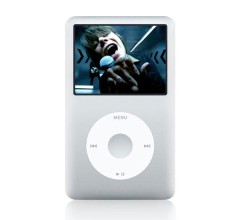
Being in Oregon – the land of no sales tax – I decided there was no better time than now to go ahead and drop the dosh on one of those new-fangled iPod “Classics.” The 160GB-ness of the thing has been taunting me since the things were announced, and I knew it was just a matter of time before I upgraded. And, not only did I save the ~$25 sales tax I would’ve paid in California, but I also took advantage of the Costco price, which is already $10 less than Apple’s suggested retail price (iPod’s are rarely sold under this suggested price, especially by major retailers). So, all in all, I think I made out just about as good as can be. Took the thing home for $339 out the door. May sound expensive to those who could care less about 60GB vs. 160GB, but for musicophiles with platter-busting collections it really is worth it to carry around that much more variety.

So, last night I began trying to figure out just how in the world I was going to get all my music off my old iPod, and subsequently on to my new iPod. See, I manually manage my music on my iPod – I don’t use the iTunes library features to manage my music collection, and that means I also don’t use the “automatically sync” feature to get music on and off my device.

I realize this may put me in a minority of users, but, because 1) I don’t use iTunes to manage my music in general, and 2) my collection is larger than my iPod’s capacity, it’s just more convenient for me to drag-and-drop what I want when I want rather than relying on some selective sync functionality. Don’t get me wrong, I can see the plus-side to using the auto-sync functionality, like not having to completely delete and re-add things in situations where I’ve “updated” an MP3 folder/album on my hard drive, perhaps adding artwork or updating ID3 tags. But still, I prefer to do it manually.

Anyway, back to my problem. Surely someone has faced this before. Say you’re a manual iPod user like me (there has to be more of us out there, right?), and you outgrow your old iPod, or just figure the new one is plain “cooler,” and decide to upgrade to Apple’s latest offering. If you’re like me, you’ve likely spent a lot of time pruning, tending, and shaping the music (and other content) on your iPod, and you probably want to “start” with your new iPod having the same content as your old one, and then add new content from there. In other words, it’d be nice if the “baseline” content on your new iPod was a mirror image, or snapshot, of what all is on your old iPod. Makes sense, right? Think of it as “migrating” the entirety of your old iPod onto your new one.

Note: I’m aware that techniques exist for doing this using both iPods in disk mode, but I’m pretty sure that will only work on two iPod’s of the same generation (or, at the least, having the same database version). Since Apple changed the iTunesDB structure completely (version 25) going to the Touch/Classic sixth generation devices, I don’t think I can get away with doing something as easy as this when moving from a less-than-sixth generation one. But, honestly, I also didn’t give it a try.

Again, before you criticize me in the comments and tell me this would all be “easy as pie” if I just used iTunes to manage my music collection – I know. Trust me, I know. I just don’t want to use iTunes to manage my music, OK? Now that we’re done with that…

Now, even though I still have all the content that’s on my iPod stored on my PC, I don’t exactly know offhand what’s on there and what’s not. I have a general idea, but my collection is huuuge, and the best and easiest way to be sure I get an exact copy of my existing iPod content would be to simply “copy off” everything that’s on there and then move it to my new iPod. Sure, worst case, I could simply re-pick all the right content from my larger collection, but it would likely take me weeks to get just the right items (honestly, you may opt to do this… give yourself a “fresh start” and relive the fun that is filling your iPod with the perfect collection of music for the first time). So, again, we need to do the following things:

  • Copy all the music off my old iPod (and onto the PC, as an intermediary location)
  • Put the resulting music from step one onto the new iPod, ideally retaining the neat track-level metadata like “last played” dates, ratings, play count, etc.

I’m gonna tell you how I did this, even though it was an imperfect process in the end (meaning, I didn’t exactly meet my own requirements above, as I lost the iTunes/iPod metadata). Ready? Here it is; it’s actually quite simple:

  1. Download SharePod and copy the folder to your old iPod (your iPod must be plugged in, and must be enabled for “disk mode” use).
  2. Run SharePod from your old iPod (if you get an error, make sure you have the .NET framework installed).
  3. Select all your songs from SharePod’s righthand pane, and click the “Copy to PC” button.
  4. Choose your preferred location and foldername/filename structure (make sure you have enough hard drive space to hold what you plan to copy off).
  5. Kick back and relax while SharePod copies every last track off your iPod (if you had a full 60GB model like I did, this can take over an hour, even at USB2.0 speeds).
  6. After SharePod is done, close it out and unplug your old iPod.
  7. Plug in your new iPod.
  8. Fire up iTunes (or, alternately, fire up whatever you normally use to add songs to your iPod), and drop all the extracted tunes on your new iPod.
  9. Relax while iTunes (or whatever you use) copies all your songs onto your new device.
  10. Oh, and remember, if SharePod saved the day for you… go ahead and PayPal the author a few bucks… it was certainly worth it for me!

To be clear, SharePod does create an XML file which you can use via iTunes’ “Import” function. I originally thought that, since this XML file contained the metadata mentioned above, I may be able to preserve things like “play count” and rating, etc. when importing. Turns out, iTunes didn’t “get” the metadata, even when using the import feature and SharePod’s XML file (at least, for me it didn’t). So, the end result is that you’ll effectively reset all that data. You’ll lose play counts, ratings, last played dates, etc. It kinda sucks, but it’s better than nothing. And, as far as I was willing to muck with it, it was the best I could come up with.

There may be other ways to do this, using different software to achieve the same thing (especially since I’m only talking Windows here, and not Mac). But I think it all amounts to the simple process of 1) extracting the data from the old device and 2) putting back on the new device. I would love to find a way to maintain the metadata (I know… you’re going to say, “Use iTunes to manage your music…”), but for now I’m happy enough to have a cloned copy of my old iPod as a starting-point for my new one.

But Dave, what about my playlists?

Look, I know that a lot of people have spent a big amount of time and effort making super-awesome playlists from the content on their iPods. For that reason, I can see why you’d want to make sure your playlists come over to your new iPod intact as well. Unfortunately, I’m not entirely sure how to do this, as I didn’t have any treasured playlists I wanted to bring over for my upgrade. I think, however, that you can use SharePod’s playlist export feature in much the same way as described above for tracks to accomplish the same thing. Export the playlist, which, I believe, amounts to exporting the songs that the playlist contains, and then import the playlist through iTunes using the XML file that SharePod creates.

Well, that’s it. That’s I how managed to transfer all the music from my old iPod onto my new iPod, and start with what’s essentially a carbon-copy of what I already had. Hope it helps someone who may find themselves wanting to do the same thing. Oh, and, by the way, if anyone has any suggestions or tweaks for this process (especially if you know how to do the above while keeping the metadata for the tracks), please leave a comment on this entry and let the world know! Thanks!

Update – 11.27.07

After writing this, I decided to try a bunch of commercially available alternatives to the method I describe above. For what it’s worth, all the software I tried was able to get the MP3s off the device. However, none were able to successfully preserve the iTunes metadata (things like playcounts, preset-EQ, date-added, skipcounts, etc.). My findings:

  • CopyTrans: This application is supposed to copy music from your iPod and into your iTunes library. The webpage advertises full iPod Classic compatibility. Out of the four, CopyTrans got closest to what I want as it was able to import the playcount and date-added metadata into iTunes.
  • iCloner : Part of the CopyTrans suite, this is like Ghost for iPods. It promises to make a “clone” backup of one iPod which can be restored onto another iPod. The functionality is there: I “cloned” my 5G iPod and then restored the image onto my new 6G iPod. However, the 6G with the restored 5G image was still unrecognizable to iTunes, and the music would not play. I also noticed that, in disk view, the post-restoration 6G iPod was truly a “clone” of the 5G (which is a bad thing, since Apple changed the folder and database structure from 5th to 6th generation). Even though the website claims full iPod Classic compatibility, the version of iCloner I used couldn’t do 5G-to-6G. Interestingly, I have to think that iCloner may indeed be a “real” solution to my problem if I was trying to move from one same-generation iPod to another. And even though I haven’t tested it, I would expect iCloner to make a carbon-copy, including all meta-data, if the target iPod is of the same generation as the source.
  • Music Rescue (formerly PodUtil): Music Rescue also successfully exported the raw MP3 files, but was unable to preserve the metadata when importing the tracks iTunes.
  • Amarok (Linux only): Although I didn’t run the test myself, I had a Ubuntu-loving buddy confirm that the latest version of Amorak (at the time of writing, at least) can export MP3s from iPods (all generations), and copy them back onto iPods (all generations). However, when testing specifically to see if the metadata can be preserved, nothing was imported.
  • iTSfv (iTunes Store File Validator): This tiny piece of free and versatile software can do lots of neat things with your iTunes music library, and has an extremely promising tab called “Backup/Restore.” At first glance, this tab appears to contain the holy grail: The ability to export an XML file containing only the not-in-ID3 metadata for your tracks, along with another option to “restore” the data in the resulting XML file back “over top” of another library (iTSfv looks for matching song titles, and writes the saved metadata on a hit). Unfortunately, it looks like iTSfv can only export this data from tracks that already “live” in an established iTunes library, and not directly off of an iPod. Too bad, because it looks nearly perfect for what I want. However, being that iTSfv is open-source, I’m actually tinkering with the idea of modifying it to work directly off the iPod… keep your fingers crossed.

So, again, overall it seems like there are a lot of solutions to reclaim your actual MP3 files from an iPod and move them to a new one (regardless of iPod generation). However, based on my research, I cannot find any reliable application to reclaim files and metadata – specifically going from a pre-6G device to a 6G one. So all you people who manually manage your music, and want to upgrade your iPod Photo to an iPod Classic… get ready to lose your metadata.

Again, commentary welcome!

Oh, and hey, before I go… and also iPod related…

On another note, I’m with this poster… I’d love it if Apple allowed you to group the tracks within a playlist by album or artist. This way, you could open a “New Music” playlist and see, not a huge list of songs, but instead, a nice tidy list organized albums or artists, to which you could further drill-down to track level. I know this isn’t useful for most folks who don’t view their music from an album-level of granularity (rather than just a “loose” collection of tracks), but since I tend to listen to music as albums moreso than a string of singles – it would indeed be useful to me. Anyway, would be nice to see in a future firmware… is all I’m sayin’.

Until later, take care.